Places to go, matched to your plans
The Play
Find places that fit your plans, time, and budget, with the core recommendations prepared on your iPhone.
iPhone prototypeiPhone · optional cloud support
The Play case study
The problem Choosing a place involves checking preferences, opening hours, distance, and budget across several options.
How it works
From a plan to a shortlist of places
Illustrative iPhone prototype flow · cloud help is optional
Start with the type of outing, time, distance, budget, and personal preferences.
The plan and its practical constraints.
Gather candidate places and check them against the plan's constraints.
Candidates to compare, or a plan that needs adjustment.
When enabled and available, cloud assistance can work with the prepared shortlist. It is not required for the on-device core.
Additional assistance based on the available candidates.
Compare the candidates using the local recommendation workflow and the person's preferences.
A ranked set of options.
Review the recommended options and check the details that matter before deciding where to go.
A place to consider for the plan.
When too few candidates fit, revisit constraints such as distance or timing and search again.
A revised plan to consider.
- Who it helps
- People planning a night out who want useful recommendations without sending their full preference context to a server.
- The experience
- An iPhone prototype that turns preferences and practical constraints into a shortlist of places to go.
The design decision
Keep the core recommendations on the phone.
Compare options using personal preferences on the iPhone. Cloud assistance can add support, but is not required for the core recommendations.
Availability
What you can explore today
The iPhone experience is a private prototype. Request a walkthrough to see the app; it is not publicly available to download.
How this workflow may relate to you
Matching options to preferences, time, and budget could support other everyday choices.
Classes and activities
When a long directory is hard to browse, narrow the options by interests, schedule, location, and budget so people can compare a manageable set.
Appointments and services
When several providers might fit, compare supplied availability, location, and service requirements. Present options for review before anyone makes a booking.
Equipment selection
When a catalog offers more choices than someone needs, filter by intended use, compatibility, and budget, then explain why each shortlisted item fits.
These are possible adaptations, not current product features. Each would be scoped around your information, access permissions, and review needs.
Explore recommendation toolsExample output
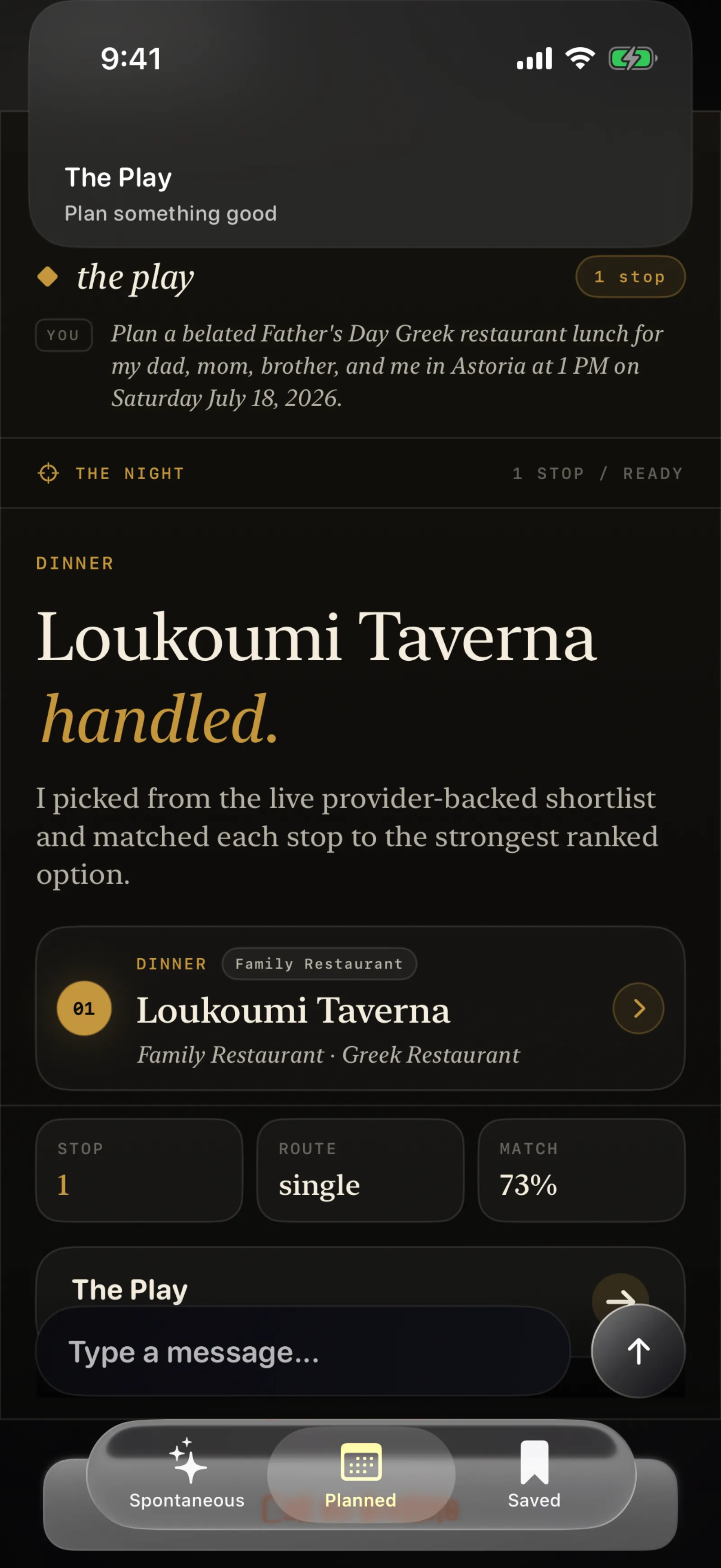
See a sample result.
Recommendations from the iPhone prototype using public information about places. No personal calendar or location history is shown.
View the sample recommendations ↗View the sample result
Explore the architecture and implementation record
Behind the experience
Architecture and implementation records from July 2026. These describe the documented build, not a current performance guarantee.
Open the architecture graphic ↗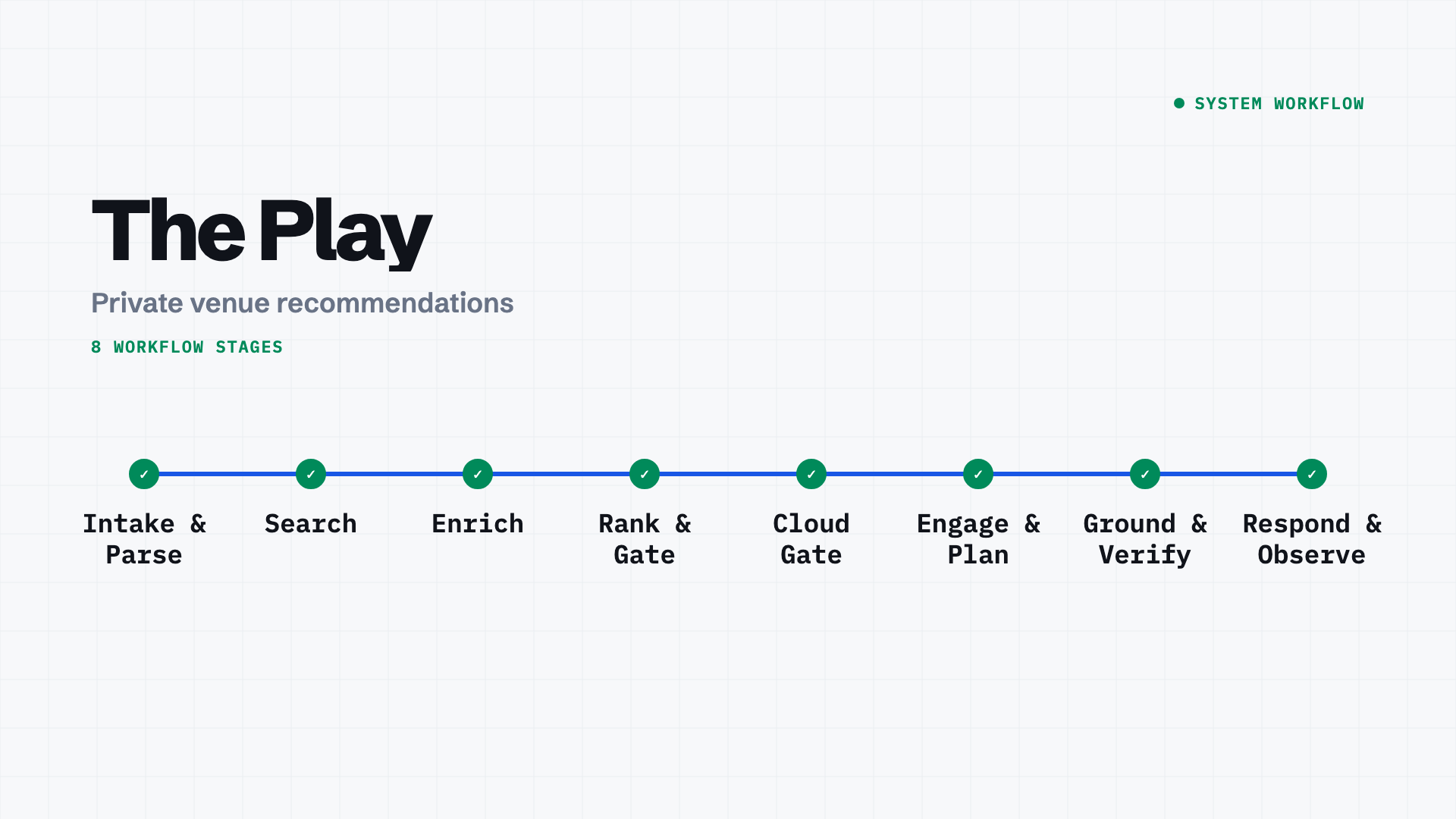
Have a workflow like this?
Start with what people need to do. Mention The Play and we can explore which ideas fit your problem.