Guided writing for web and iPhone
Guided Writer
Turn a blank canvas into an editable template with questions that help you shape the brief.
Web + App StoreWeb Studio · iPhone app
Guided Writer case study
The problem A writing idea often needs an audience, purpose, and structure before it becomes a useful draft.
How it works
From a writing idea to an editable draft
Illustrative web writing flow · separate from the iPhone implementation
Start with the kind of writing and the message you want to communicate.
A writing idea and a format.
Clarify the audience, purpose, tone, and key points before asking for a draft.
A structured writing brief.
Use the brief to give the generation step a clearer task and useful context.
A prompt shaped by the person's answers.
Generate a draft using the brief and selected writing format.
An editable starting point.
The writer checks the facts, adjusts the language, and keeps the version they want to use.
Writing the person has reviewed.
Use feedback about the structure or wording to revise the draft while retaining the writing context.
Revision guidance for the next draft.
- Who it helps
- People who know what they want to say but need help turning an idea into a structured draft.
- The experience
- Guided questions become a structured prompt and an editable starting point for your writing.
The design decision
Ask the right questions before drafting.
Collect the audience, purpose, and key points first, so the draft starts with the information the writer wants to communicate.
Availability
What you can explore today
Use the web Studio or download the iPhone app from the App Store. They are separate experiences.
- Web Studio
- Create and save drafts in your browser with a free account. The web experience does not make the iPhone app's on-device privacy claim.
- iPhone app
- Available on the App Store. Draft generation runs on-device with supported Apple Intelligence hardware and iOS 26 or later. The App Store listing explains device requirements.
How this workflow may relate to you
Guided questions could also turn incomplete information into forms, documentation, and project briefs ready to edit.
Filling out forms
When a form is difficult to start, ask plain-language questions and map the answers to its fields. Flag missing details and prepare a draft for review before submission.
Creating documentation
When a process lives in someone's head, ask about its purpose, steps, owners, and exceptions. Turn the answers into an editable procedure or handoff template.
Project briefs and proposals
When an idea lacks structure, gather the audience, goals, scope, and constraints through guided questions. Shape the answers into a brief the team can refine.
These are possible adaptations, not current product features. Each would be scoped around your information, access permissions, and review needs.
Explore forms and templates Explore workflow automationExample output
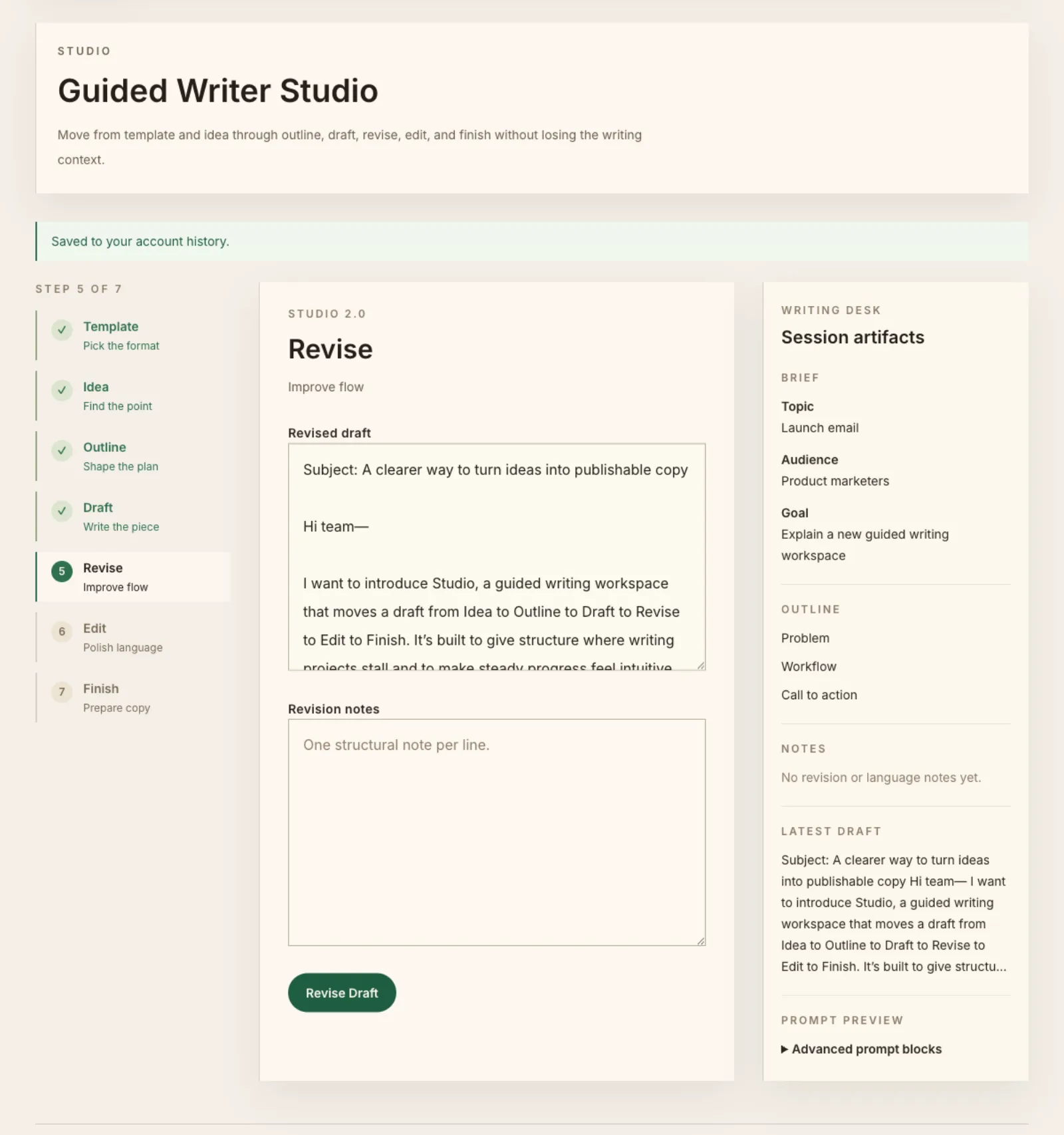
See a sample result.
A sample launch-email brief and its draft in the web Studio. This demonstrates web writing, not on-device iPhone processing.
View the sample web draft ↗View the sample result
Explore the architecture and implementation record
iPhone implementation record
The July 2026 iPhone record documents single-pass generation as the default; multi-pass ranking is experimental. It does not describe the web Studio or certify the current App Store build.
Open the architecture graphic ↗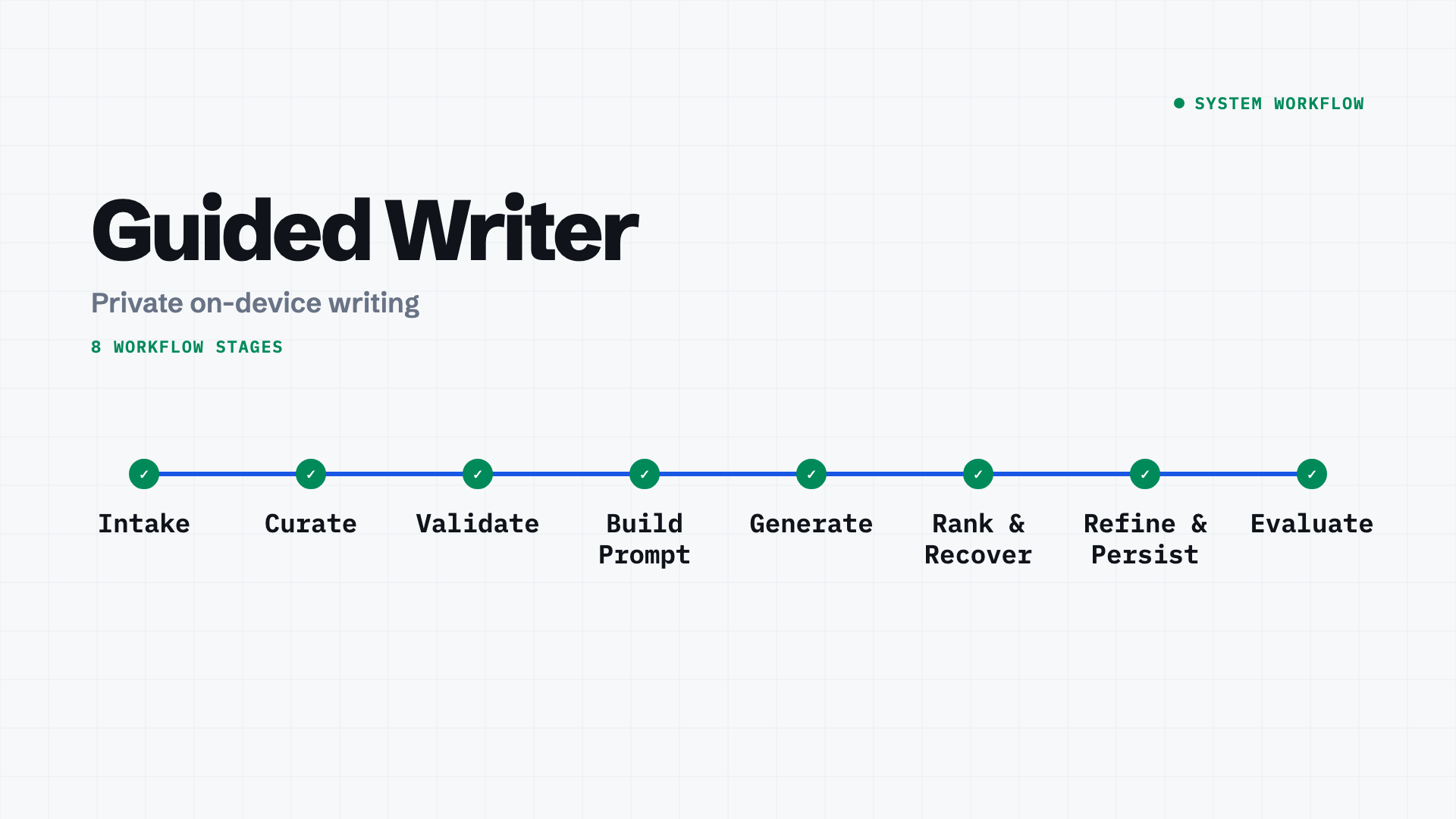
Have a workflow like this?
Start with what people need to do. Mention Guided Writer and we can explore which ideas fit your problem.